Project Summary
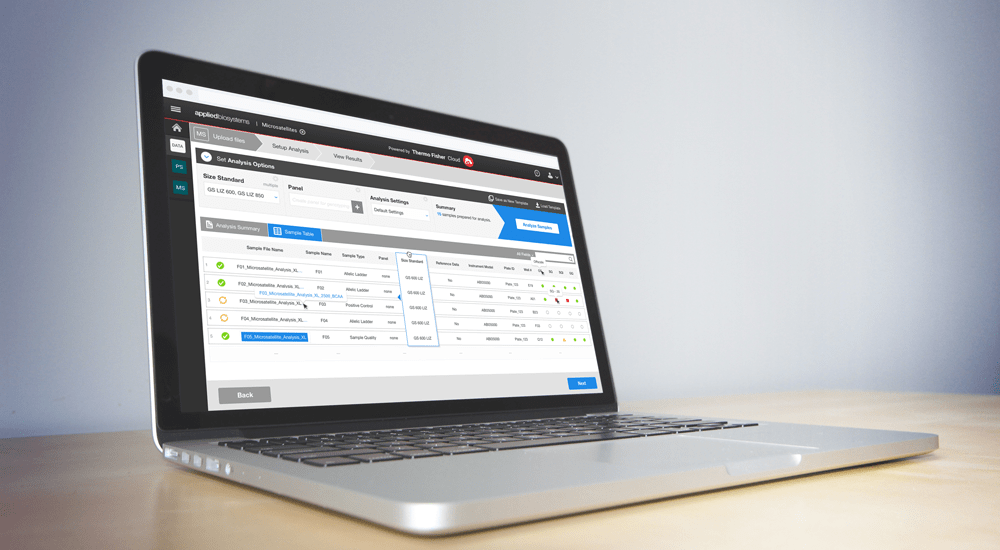
Designed the final UI for MicroSatellites, a Thermofisher Scientific Cloud app that was to be the spiritual successor to their current offering Peak Scanner. MicroSatellites is a web app that analyses DNA fragments and allows you to edit, separate and export the results. The app is used primarily for scientific research and is used in cancer research on the genetic level.
Services
- Visual Design
- Interaction Design
- Prototyping
Workflow: Dashboard / Analysis Settings
Dashboard

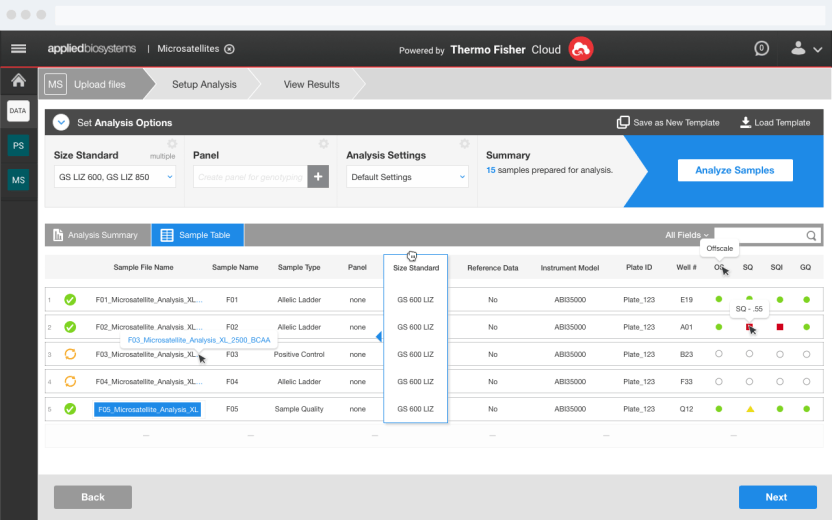
User begins on the dashboard and have already uploaded their samples using the native file upload on Thermofisher Cloud. All their files are visible in the secondary tab Sample Table, the decision to do this was because once fragment files are uploaded they are immediately categorized and placed into their respective sample types.
In order to further the analysis of the DNA fragments, a user must Create a Panel, which serves as a control for their experiment, by setting certain parameters.
Create a Panel
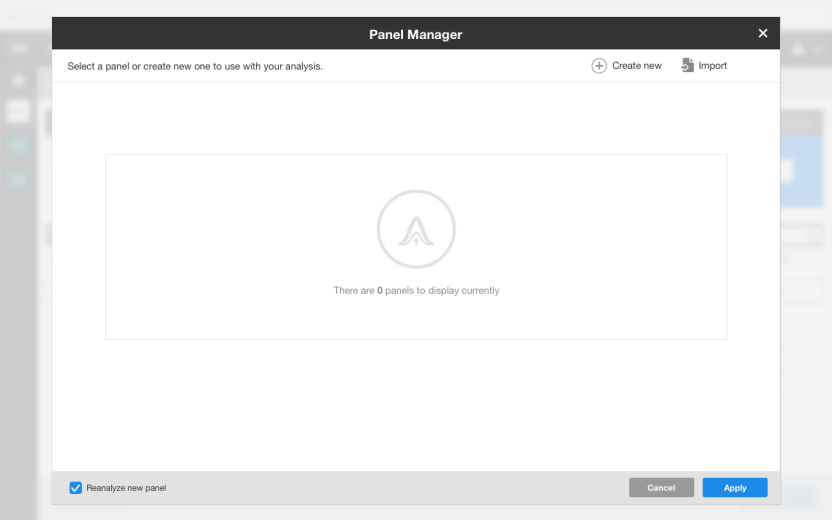
The Create a Panel modal starts with a Panel list, however this flow focuses on a user who has setup the software for the first time. So they are creating their first panel.
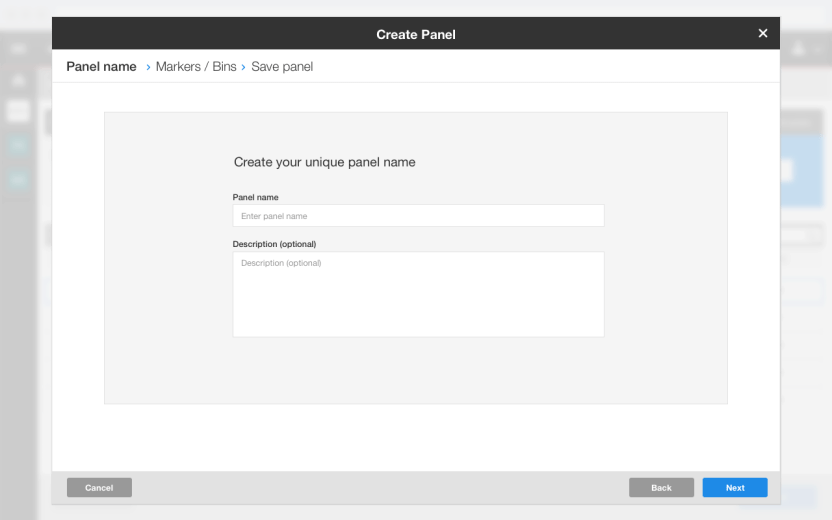
Next is setting up your Panel Name, straightforward naming and description fields.
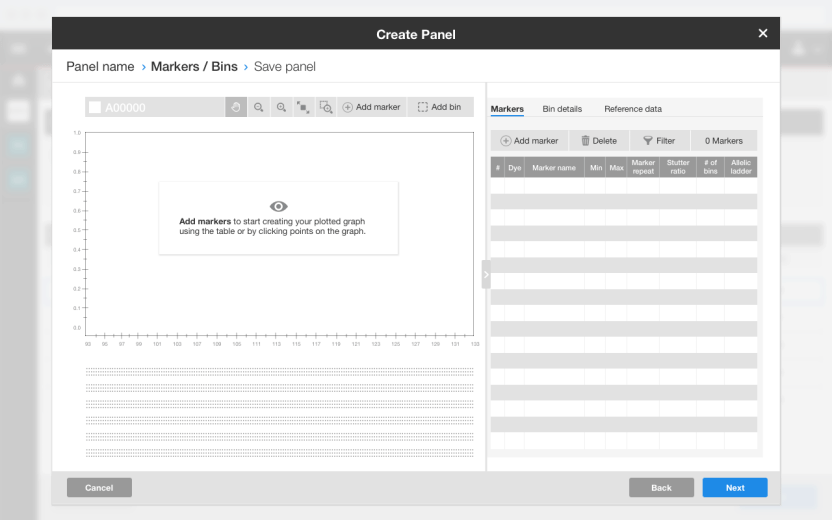
After setting up the Panel Name, you are immediately asked to set up your Markers and Bins (similar to points and folders for those points) in the various DNA fragments that allow for testing and in-depth analysis.
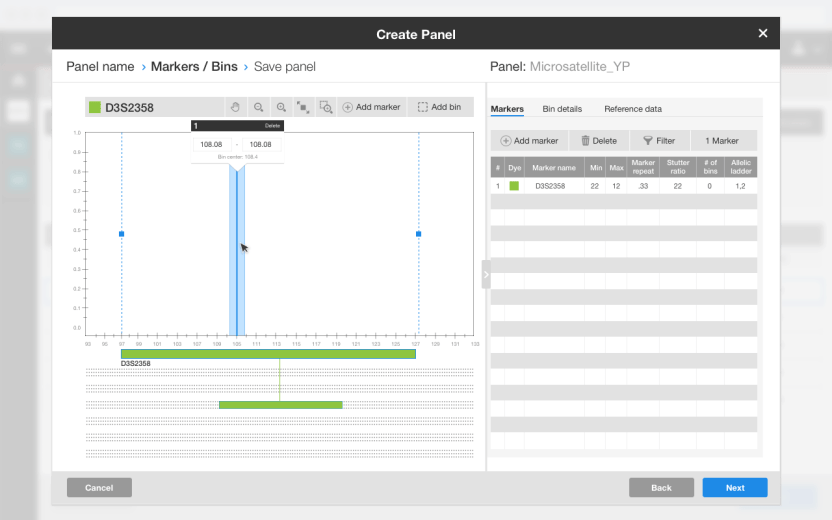
The tools provided are extremely versatile and delicate as they allow for pinpoint accuracy in selecting sections of the fragment. Manually or automatically detect points of interest on the fragment.
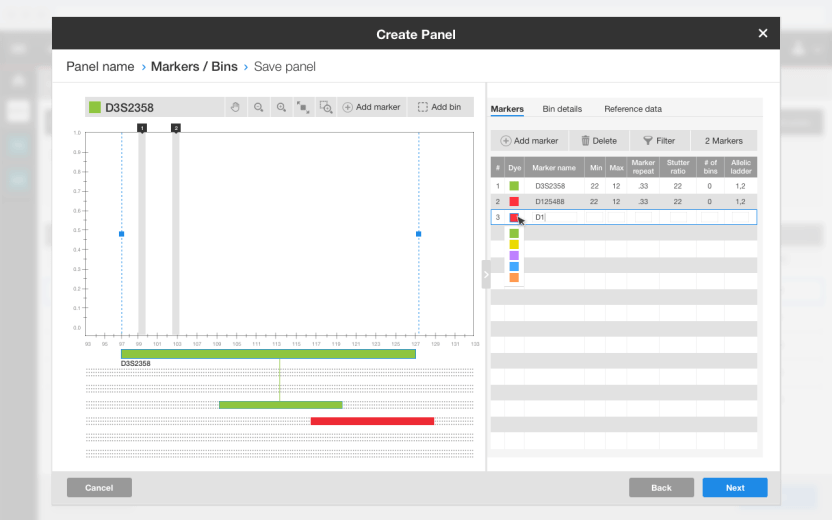
Showing multiple markers being setup.
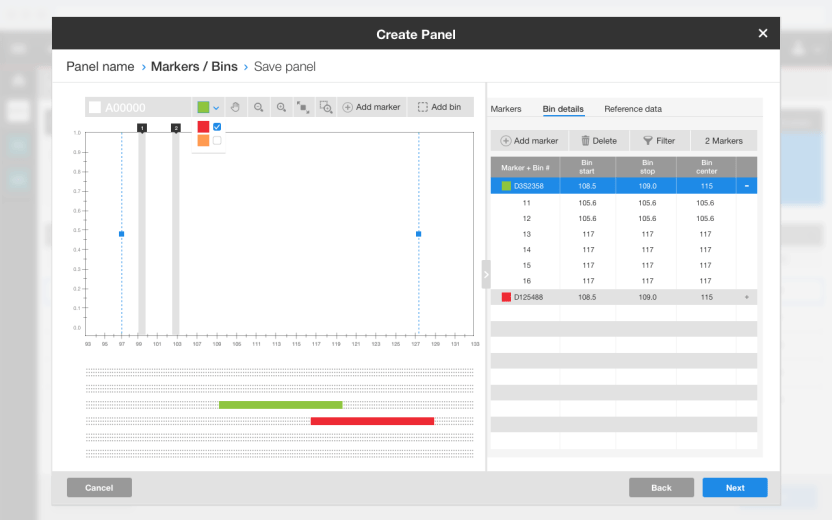
The individual bins (points of interest) that make up the Markers tab.
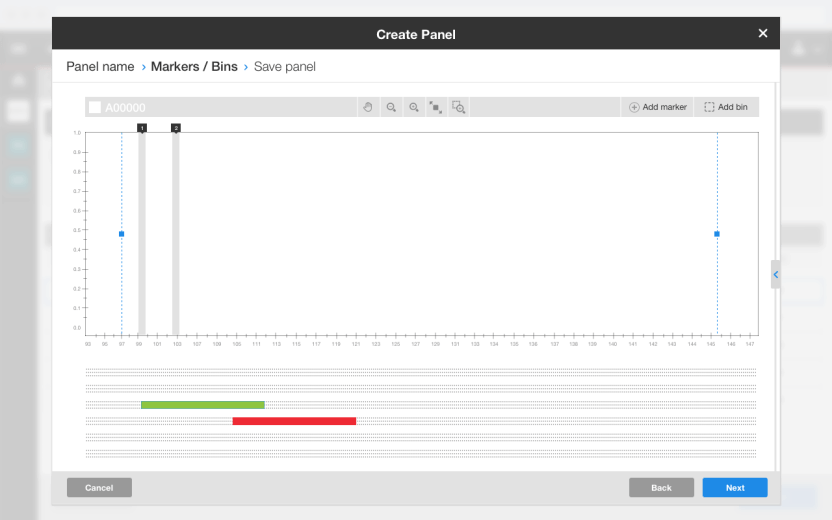
Showing the expanded version of the graph.
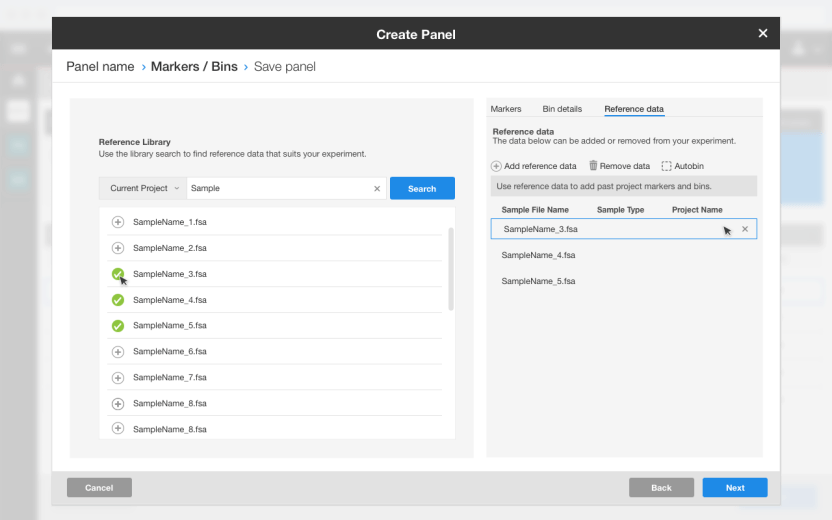
The final tab that has the Reference Data allows for creating automatic data points on the fragment using a native search built into the software.
Analysis Settings
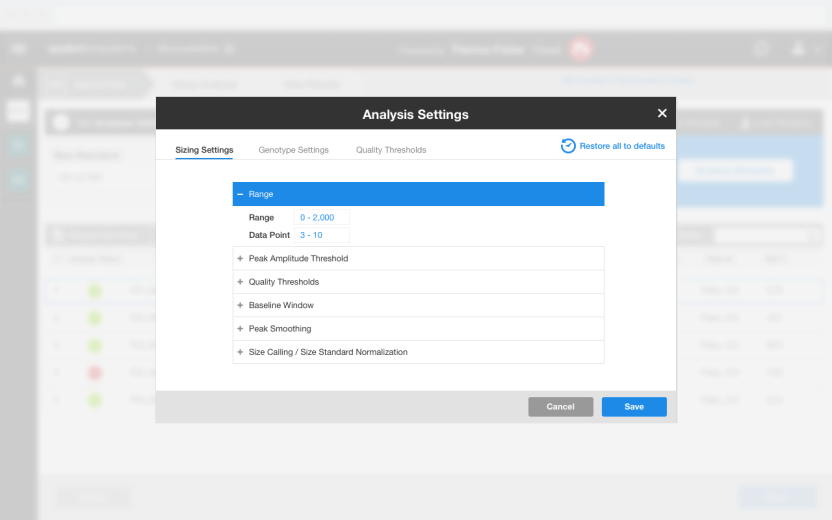

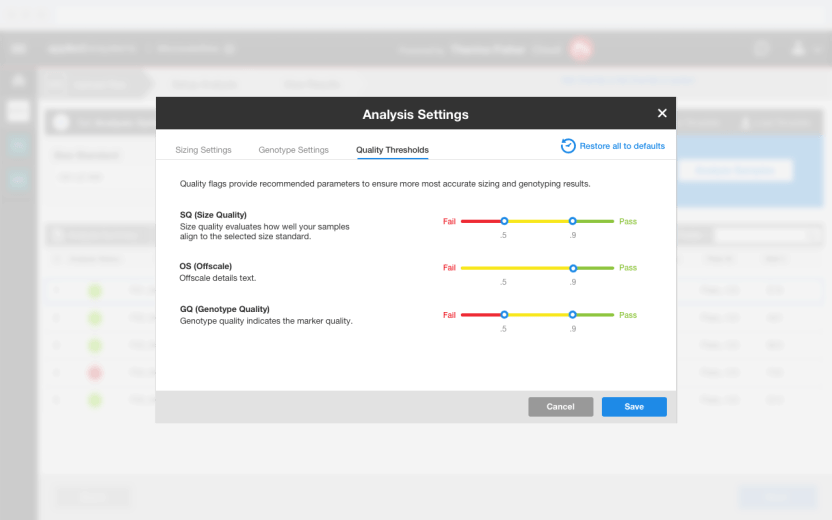 The Analysis Settings allowed for even more granularity in setting up your experiment.
Results
The beta version of the Microsatellites app has launched on Thermofisher Cloud to collect user data for product optimization.
Categories: Uncategorized

 Rafael Rodriguez